Understanding the 7-Day Preview: Ensuring Perfection
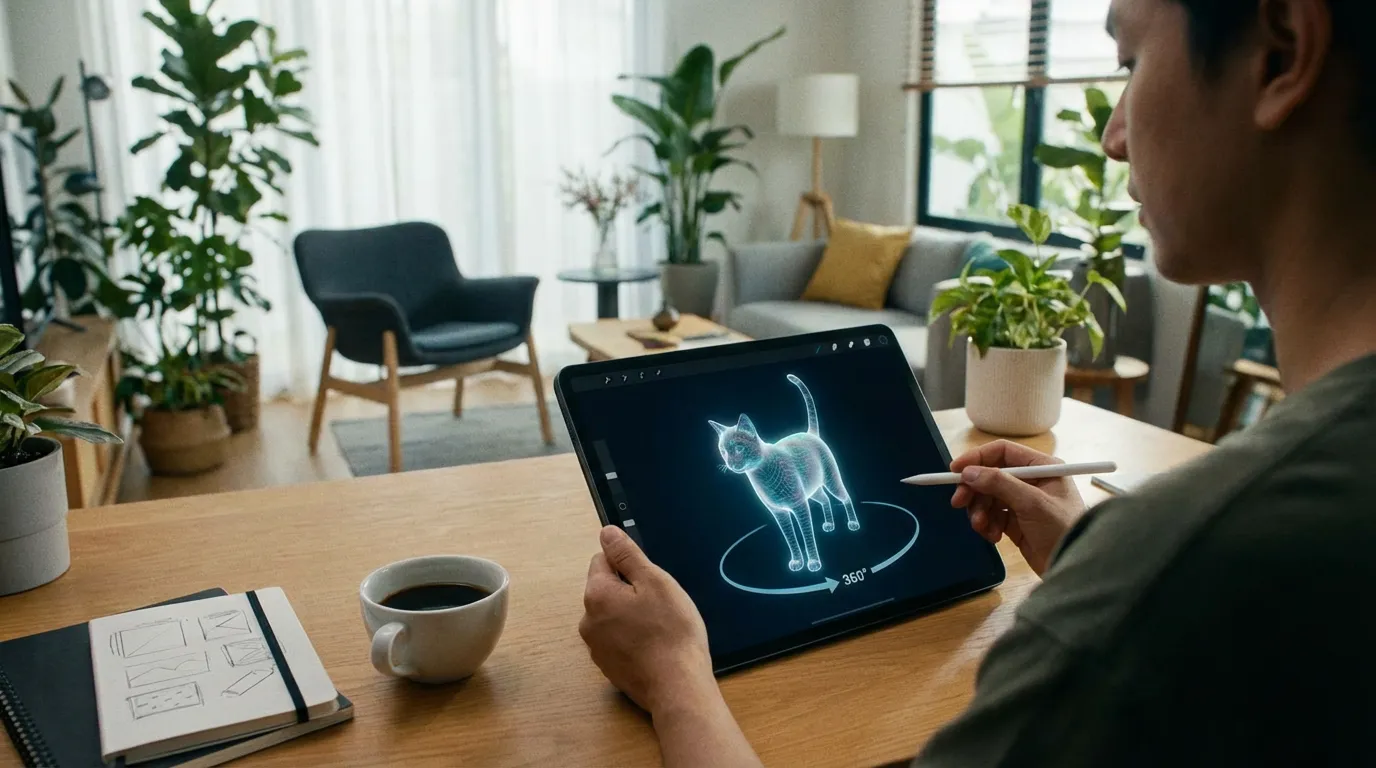
The email arrives in your inbox with a subject line that makes your heart skip a beat: “Your PawSculpt Preview is Ready.” You hesitate before clicking. It’s a strange mix of excitement and anxiety, isn’t it? You’re hoping to see him again—that specific tilt of the head, the way his left ear always flopped just a little lower than the right. But there’s also the fear that it won’t be quite right, that the digital sculpture staring back at you will be just a generic dog, not your dog. This moment—the 7-day preview window—is the most critical juncture in our entire process. It’s the bridge between a collection of pixels and a physical object you can hold.
Quick Takeaways:
- The "Uncanny Valley" is Real: If something feels "off" but you can't place it, it’s usually the eyes or the silhouette. Trust your gut.
- Physics Matters: We sometimes have to thicken legs or adjust tails not because we missed the detail, but to ensure the resin cures without warping.
- Lighting is Deceiving: Digital renders use perfect, simulated light. We’ll explain how to visualize the physical object in room lighting.
- Silence = Approval: The 7-day window is strict because our print queues are optimized to the minute. Missing it means your spot moves to the back of the line.
- One Revision Rule: We focus on one comprehensive round of edits to maintain structural integrity and artistic cohesion.
The Engineering Behind the Art: Why We Show You a Render
Most people think 3D printing is like hitting "print" on a Word document. You press a button, and a machine spits out a perfect replica. If only it were that simple.
As someone who has spent over a decade in additive manufacturing, specifically wrestling with stereolithography (SLA) and MSLA (Masked Stereolithography), I can tell you that organic shapes—like the fur on a Golden Retriever or the whiskers on a Maine Coon—are nightmares for machines. They are beautiful chaos. Machines hate chaos; they want geometry.
When we send you that digital proof, we aren't just showing you the artistic likeness. We are showing you a model that has been battle-tested for physics. We are showing you a file that has to survive the transition from a digital vacuum to the harsh reality of gravity and resin chemistry.
The "Water-Tight" Necessity
In the digital world, a surface can have zero thickness. In the physical world, that’s impossible. When you look at your preview, you might notice the ears look slightly thicker than in your photos.
Here’s the insider reality: We use DLP (Digital Light Processing) or MSLA printers that cure liquid resin layer by layer using UV light. Each layer is roughly 35 to 50 microns thick—that's thinner than a human hair. If we sculpted that ear exactly as thin as it is in real life, the "peel force" (the suction created when the print plate lifts out of the resin vat) would rip it right off the model.
We have to engineer "hidden supports" and subtle thickening into the anatomy. We aren't changing your pet; we are ensuring your pet doesn't shatter during the wash and cure process.
How to Review Your Proof Like a Pro
When you open that file, don't just look at the face. Your brain will trick you. You need to break the model down systematically.
1. The Silhouette Test
Close your eyes for a second and picture your pet walking into a dark room where you can only see their outline against a window. That is their silhouette.Look at the preview again. Ignore the eyes. Ignore the fur texture. Look at the overall shape. Is the weight distribution right? Does the chest dip low enough? Is the spine curved or straight?
The common mistake: People zoom in immediately on the nose or eyes.
The pro tip: Zoom out. If the silhouette is wrong, no amount of eye detail will make it look like your pet. A Bulldog carries its weight in the shoulders; a Greyhound carries it in the chest depth. If we miss the mass distribution, the figurine will never feel "heavy" enough visually.
2. The Texture vs. Paint Trap
This is the hardest concept to convey. In a digital render, we apply a "material" that simulates shadows to show you the fur detail. However, the physical print comes out as a single-color resin (usually grey or beige) before painting.You might say, "The white spot on his chest is missing."
It’s not missing. It’s just not sculpted.
We sculpt texture, not color. If your dog has a smooth coat with a black patch, we don't carve a line around the black patch. That would look like a scar on the physical model. The color comes later, during the hand-painting phase.
What to check for:
- Fur Direction: Does the fur on the neck swirl the right way?
- Coat Volume: Is it fluffy enough? Or too sleek?
- Feathering: Are the long hairs on the legs or tail represented?
3. The Eyes: The Soul and the Geometry
Getting the eyes right is 90% of the battle for likeness. But in a 3D model, eyes can look "dead" because they lack the specular highlight—that little white reflection of light that exists in a living eye.Don't panic if the digital eyes look a bit "staring."
What we need from you: Check the shape and placement*. Are they almond-shaped or round? Are they set wide apart or close together?
- What we handle: The "life" comes from the painting (gloss varnish) and the catchlight we paint in manually.
The Hidden Engineering: Orientation and Drainage
You might notice in your preview that we’ve placed your pet in a very specific pose, or perhaps you requested a pose that we advised against. This brings us to the unglamorous side of figurine making: Suction cups and resin traps.
Imagine we are printing a hollow model of a howling dog, mouth open to the sky. If we orient that dog upside down in the printer, the hollow body acts like a bucket. It scoops up liquid resin. This creates massive suction forces that can pull the print off the plate, resulting in a failed blob of plastic.
To prevent this, we have to hollow out the model (to save weight and prevent cracking) and add drain holes.
The Trade-off:
We try to hide these holes under the paws or belly. But sometimes, depending on the pose, we have to get creative. If you see a small circular indentation in a hidden spot on the preview, that is an engineering necessity. It allows the uncured resin to flow out and the cleaning alcohol to flow in. Without it, your figurine would eventually crack and leak toxic uncured resin months later. We prioritize long-term safety over 100% surface perfection in invisible areas.
The 7-day Clock: Why the Rush?
We know life is busy. You might wonder why we are so strict about the 7-day approval window. It’s not because we’re impatient. It’s because of the chemistry of our production line.
The Batch Workflow
In industrial SLA printing, we don't print one dog at a time. We print "plates." A single build plate might contain 4 to 6 different pets, carefully nested together to maximize efficiency and minimize resin waste.When we send out previews, we are usually planning a specific build plate for Thursday morning.
- Pet A approves in 2 hours.
- Pet B approves in 24 hours.
- Pet C (you) waits 72 hours.
If you wait, you don't just delay your pet; you delay the entire plate. Or, more likely, we have to pull your file off that plate to let the others proceed. This "de-nesting" requires re-supporting and re-slicing the entire batch.
Once you miss that window, your file goes back into the "To Be Queued" folder. Depending on our volume, that could push your production back by a week or more.
Handling Revisions: The "One Round" Philosophy
"Can you make the ears bigger? Okay, now can you make the tail longer? Actually, can you change the ears back?"
We’ve all been there. The desire for perfection is paralyzing. However, in 3D modeling for print, every change has a ripple effect.
If we move the head position, the neck muscles change. If the neck changes, the shoulder supports we built might no longer work. If the supports fail, the print fails.
This is why we ask for one comprehensive round of feedback.
We want you to sit with the preview. Show it to your partner. Show it to your kids. Gather all your thoughts.
How to give great feedback:
- Bad Feedback: "It doesn't look like him." (This gives us no data to work with).
- Good Feedback: "The snout feels too narrow at the tip, and his ears usually sit higher on his head when he's alert."
Specifics save days of back-and-forth.
From Screen to Shelf: The Post-Processing Journey
Once you click "Approve," your digital pet enters the physical world. It’s worth understanding this journey so you know why the turnaround time is what it is.
1. Printing (4-12 Hours)
The laser or LCD screen flashes thousands of times, curing the resin layer by layer.2. The Wash (30 Minutes)
The model comes out dripping with toxic, uncured resin. It goes into an ultrasonic bath of Isopropyl Alcohol (IPA). This strips away the excess goo but leaves the model soft and vulnerable.3. Support Removal (The Art of the Knife)
This is where skill matters. The model is covered in "scaffolding"—tiny pillars that held it up during printing. A technician manually clips these off. If they pull too hard, they leave a divot (a "pockmark"). If they don't cut close enough, they leave a nub. We sand these down later, but support placement in the digital phase is key to minimizing scarring on the face.4. UV Curing (30-60 Minutes)
The model goes into a UV oven. This finalizes the chemical reaction, hardening the plastic. Note: This causes slight shrinkage (about 0.5% to 1%). We account for this in the digital sculpting phase by scaling up slightly.5. Surface Finishing and Priming
We sand the nubs. We fill any drain holes. Then, we apply a high-grade primer. This reveals imperfections. We sand again. Prime again. Only then is it ready for the artists.The Emotional Weight of "Good Enough"
Here is the hardest truth I have to share with you, both as a maker and a pet lover.
It will never be perfect.
That digital file? It’s not your dog. It’s a representation of your dog.
The figurine? It’s not your cat. It’s a tribute to your cat.
We strive for 98% accuracy. We chase that last 2% with everything we have. But sometimes, customers get stuck in the "Uncanny Valley" during the preview phase. They obsess over a millimeter difference in the brow ridge. They worry the tail is 3 degrees too low.
In our experience, once the figurine is printed, painted, and sitting on your mantle, those millimeter concerns vanish. You stop looking for the geometry and start feeling the memory. You see the spirit of the animal.
If you find yourself agonizing over the preview, ask yourself: Does this capture the essence? If the answer is yes, trust the process.
Frequently Asked Questions
What happens if I absolutely hate the preview?
While rare, it happens. If the likeness is completely off, we don't force you to proceed. We will review your reference photos again—often asking for new angles—and do a major re-sculpt. However, if we simply cannot align on the artistic vision after significant effort, we offer a cancellation option. We would rather you have your money back than a figurine you resent.Why does the digital preview look "smooth" but you mention sanding?
Digital software renders surfaces as mathematically perfect. In reality, 3D printing creates "layer lines"—tiny ridges visible under a microscope. While our high-resolution 8K printers minimize this to near-invisibility, the sanding and priming steps are essential to create that glass-smooth surface for painting. We do the work so you don't see the lines.Can I change the pose during the preview stage?
Generally, no. A pose change isn't a "revision"; it's a completely new sculpture. It requires starting from scratch with the armature and anatomy. If you must change the pose, it usually incurs a re-sculpting fee because it doubles the labor time for our artists.How long after approval until I get my figurine?
Once you approve the 7-day preview, the clock starts on physical production. Typically, this takes 3-5 weeks. This accounts for printing, the delicate drying/curing phases, and the queue for our hand-painters. We treat this like fine art, not fast fashion.Will the colors on my screen match the paint exactly?
No screen is calibrated perfectly, and paint is a physical medium that reacts to room lighting. We use your photos as the "truth," not the digital render colors. We match paints to the photos you provided, not the hex codes on a computer monitor.When that email lands—“Your PawSculpt Preview is Ready”—take a breath. Pour a cup of coffee. Open the file.
Don't look for the flaws immediately. Look for the friend. Look for the companion who waited by the door. Look for the shadow that used to follow you to the kitchen.
We use technology, lasers, and chemistry to build these tributes, but the real blueprint comes from you. The 7-day preview is just our way of asking: "Did we hear your story correctly?"
And if we did, click approve. Let us bring them home.
Ready to Get Started?
Now that you know what goes into creating the perfect pet figurine, it's time to bring your vision to life. Our master sculptors are ready to capture every detail that makes your pet unique.
Free instant AI preview • 3D artist preview within 7 days • 5 free revisions