How to Photograph a Curly-Coated Goldendoodle for a 3D Figurine When Nothing Stays Still
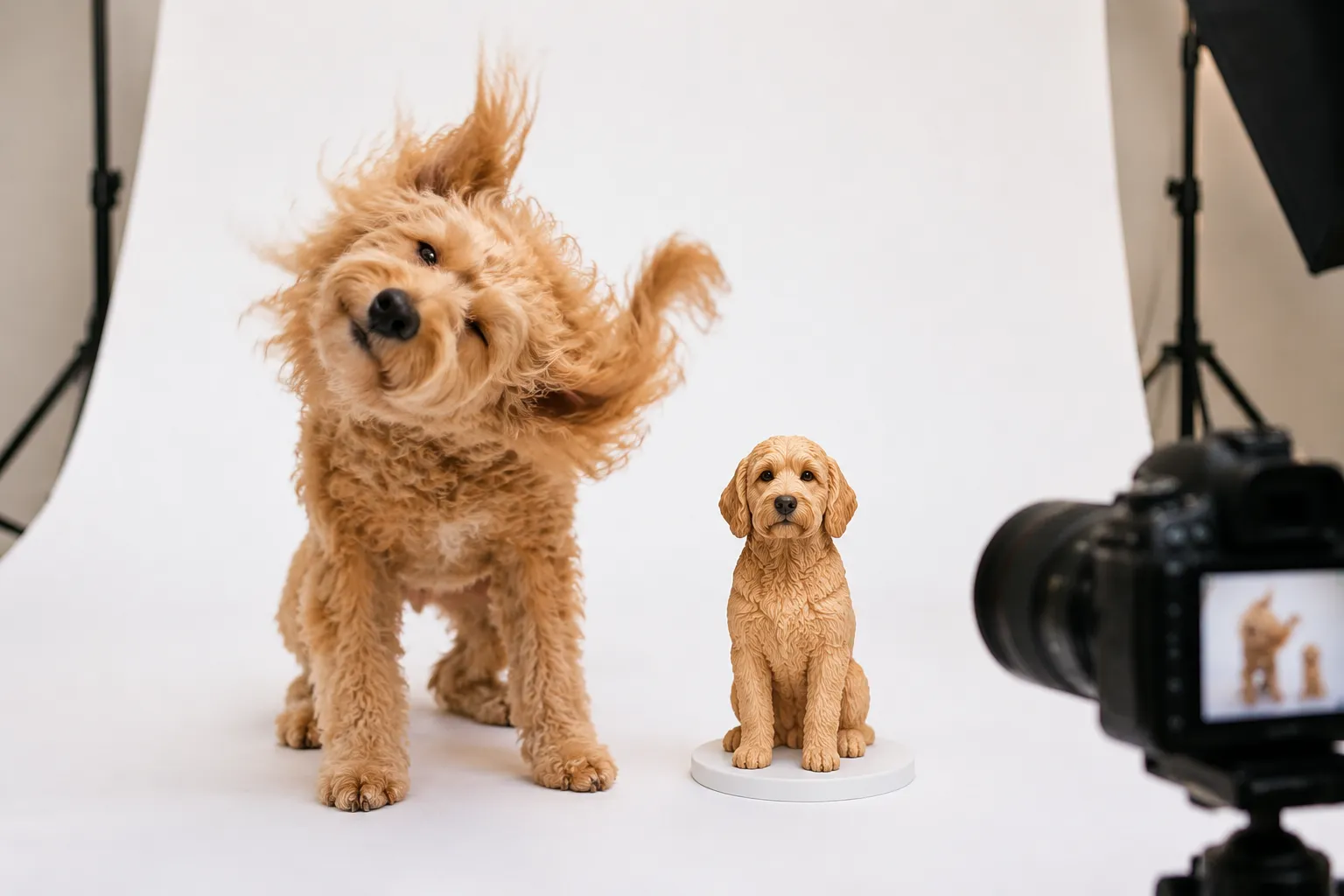
Two years ago, photographing a curly-coated Goldendoodle for a3D figurine meant wrestling your dog into a sit-stay while fumbling with a phone camera in the hallway—blurry results, frustrated sighs, a pet who'd already bolted toward the kitchen. Now there's a method to the madness, and it doesn't require your dog to become a statue.
Quick Takeaways
- Tire them out first — a 20-minute fetch session before photos cuts fidgeting by half
- Shoot in burst mode from five angles — volume compensates for a dog who won't hold still
- Curly coats need diffused, even lighting — harsh shadows hide the texture that makes your Doodle unique
- Your "bad" photos still have value — PawSculpt's digital sculptors can composite details from multiple imperfect shots
- Background clutter kills reference quality — a plain wall or bedsheet backdrop isolates your dog's silhouette cleanly
Why Most Goldendoodle Photo Guides Get It Wrong
Here's the thing most photography advice mises entirely: you're not trying to take a pretty picture. You're trying to give a digital sculptor enough three-dimensional information to rebuild your dog in full-color resin from scratch. Those are wildly different goals.
A gorgeous Instagram shot with bokeh blur and golden-hour backlighting? Useless for a figurine. That candid where your Doodle's mid-zoomie with ears flapping? Also not great. What a3D artist actually needs is closer to what a forensic photographer would shoot—clear, evenly lit, multiple angles, nothing obscured.
"We don't need magazine covers. We need information—the curl pattern behind the ears, the way the tail feathers, the exact spot where apricot fades to cream."
— The PawSculpt Team
The counterintuitive insight here: the photos that look boring to you are gold to a sculptor. Flat lighting, neutral background, dog standing naturally without any cute head-tilt—that's the money shot. Everything else is supplementary.
Let me walk you through exactly how to get those shots from a dog whose default state is "vibrating with enthusiasm."
The Pre-Shoot Exhaustion Protocol: Setting Up for Success
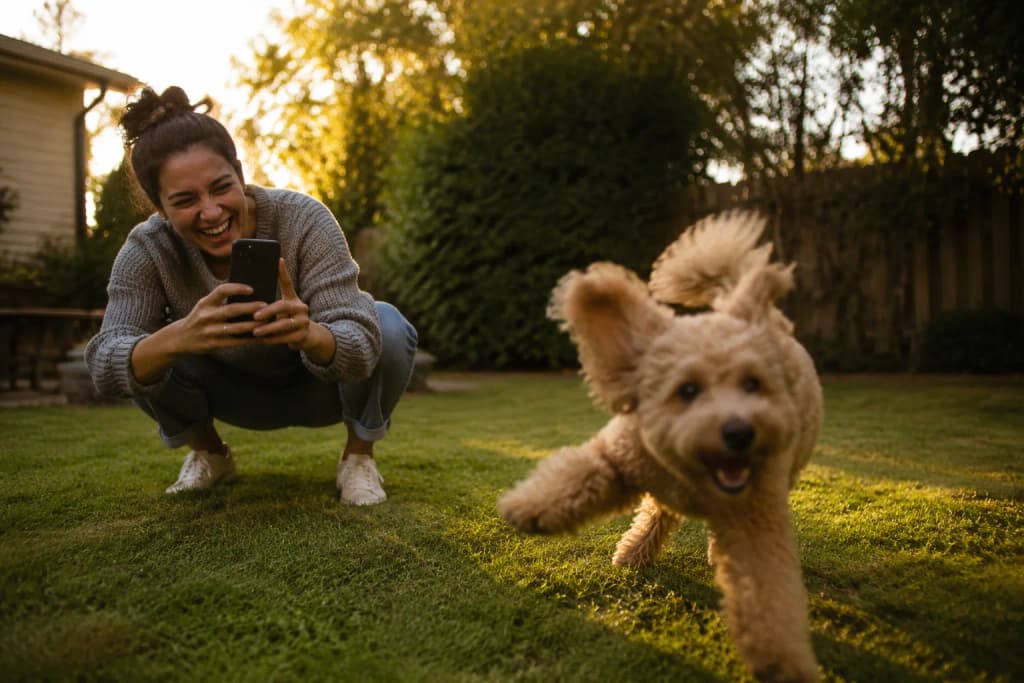
You know what nobody tells you about photographing a hyper dog for a figurine? The photo session doesn't start when you pick up the camera. It starts 45 minutes earlier.
The Energy Drain
Here's your morning routine on photo day: wake up, take your Goldendoodle on a longer-than-usual walk (we're talking 30–40 minutes, not the quick around-the-block). If you've got a yard, add 10 minutes of fetch. The goal isn't exhaustion—a panting, tongue-out dog doesn't photograph well either. You want that sweet spot where they're content to stand around for a few seconds between bursts of movement.
A day-in-the-life scenario: It's 9:15 AM. You've just come back from a 35-minute walk through the neighborhood. Your Doodle laps water, does a full-body shake, then flops onto the cool hallway tile. You've got maybe a 20-minute window where they'll cooperate. You grab your phone, already set to burst mode. The hallway has that nice diffused light from the front door's frosted glass. You're ready.
Timing Matters More Than Equipment
| Time of Day | Energy Level | Photo Quality Potential | Notes |
|---|---|---|---|
| Early morning (pre-walk) | Maximum chaos | Poor Dog is too wired to hold any position | |
| Post-morning exercise | Calm but alert | Excellent | Best window—relaxed posture, ears natural |
| Midday | Variable Moderate | Some dogs nap; others get a second wind | |
| Post-dinner | Settling down | Good | Slightly slepy expression, but cooperative |
| Late evening | Low Fair | Dropy eyes may not represent their personality |
The post-exercise window is your golden hour. Not because of the light—because of the dog.
The Treat Economy
Don't blow through your entire treat bag in the first two minutes. Here's the system that actually works:
- High-value treats only — skip the kible, use something smelly (freeze-dried liver, cheese cubes)
- Lure, don't bribe — hold the treat at your dog's nose height to position their head, then reward after you've fired off a burst
- Three-treat rule — after three treats, take a 60-second break. Otherwise your Doodle starts mugging the camera hand instead of standing naturally
- Scatter treats on the ground to get a natural head-down angle (useful for capturing the top of the skull and ear placement)
Understanding What Full-Color 3D Printing Actually Needs From Your Photos
Let me get a little technical here, because understanding the end product changes how you approach the photography entirely.
When PawSculpt creates a figurine, a digital sculptor opens software like ZBrush or Blender and literally models your dog polygon by polygon. They're building a three-dimensional form—every curl, every muscle contour, every fold of ear leather. Then that digital model gets printed on a full-color resin 3D printer where pigments are deposited voxel-by-voxel (think of a voxel as a 3D pixel) directly into the UV-cured photopolymer resin.
What does this mean for your photos? The sculptor needs to answer specific questions:
- Shape: What's the overall silhouette? How deep is the chest relative to the waist? How long are the legs proportional to the body?
- Texture questions: How tight are the curls? Do they spiral or wave? Are they uniform or looser in some areas?
- Color questions: Where exactly does the color shift? Is the muzzle lighter than the body? What color are the paw pads?
A single front-facing photo answers maybe 20% of those questions. That's why you need a system.
The Five Essential Angles
Think of your dog as standing in the center of a clock face. You need shots from:
- 12 o'clock — straight-on front (face, chest width, front leg spacing)
- 3 o'clock — perfect side profile, left (body length, topline, tail set, leg angulation)
- 6 o'clock — straight rear (hip width, tail position, rear leg stance)
- 9 o'clock — perfect side profile, right (confirms symmetry, catches any unique markings on this side)
- Overhead/45-degree — looking slightly down at the dog (back width, curl pattern on the topline)
Plus bonus shots: close-ups of the face (both eyes visible), ears, paws, and any distinctive markings.
"Your dog doesn't need to be perfect. They need to be visible."
What Curly Coats Do to3D Scanning (And Why Photos Beat Scaners)
Here's something most people don't realize: curly-coated dogs are actually harder to capture with automated3D scanning technology (like photogrammetry or structured light scaners) than smooth-coated breeds. The curls create thousands of tiny shadows and depth variations that confuse algorithms. The scanner sees noise where a human sculptor sees a beautiful flece coat.
This is actually why the photo-to-digitalsculpt workflow works better for Goldendoodles than any automated approach. A skilled sculptor interprets the curl pattern from photos and recreates it with intentional, artistic strokes in the digital model—rather than trying to capture every individual hair mathematically.
So your photos don't need to resolve every single curl. They need to show the overall pattern, density, and flow direction of the coat. That's a much more achievable goal.
Lighting That Reveals Texture Instead of Hiding It
Curly coats are lighting nightmares if you don't know what you're doing. Here's why: each curl creates its own tiny highlight and shadow. Under harsh directional light (like direct sun through a window), those micro-shadows multiply into a confusing mess. The coat looks darker than it is, details disappear into contrast, and the sculptor can't tell where one curl ends and another begins.
The Diffused Light Setup (No Equipment Needed)
Best option: overcast daylight near a large window. Clouds act as giant softbox, scattering light evenly. Stand your dog 3–4 feet from a north-facing window (or any window without direct sun hitting it) and you'll get beautiful, even illumination that reveals every curl without harsh shadows.
Second best: the hallway trick. Open your front door (if it faces away from direct sun) and position your dog in the hallway. The doorframe acts as a natural light shaper, and the hallway walls bounce light around softly. This is actually how we've seen some of the best reference photos come in—shot in boring hallways with nothing but ambient daylight.
What to avoid:
- Direct flash (flattens the coat, creates hot spots on curl tips)
- Overhead ceiling lights only (creates raccoon-eye shadows on the face)
- Backlighting (silhouettes the dog, loses all color information)
- Mixed lighting—half window light, half warm lamp (confuses white balance, makes color matching impossible)
The Color Accuracy Problem
Your phone's camera is lying to you about your dog's color. Auto white balance, HDR processing, and computational photography all shift colors. A cream Goldendoodle can look white in one photo and golden in another, taken30 seconds apart.
The fix: Include something of known color in at least one reference photo. A white piece of printer paper works. A gray card is better if you have one. This gives the sculptor a reference point—they can see how much the camera shifted things and mentally correct for it.
| Lighting Condition | Color Accuracy | Texture Visibility | Recommendation |
|---|---|---|---|
| Overcast window light | High | Excellent | Best overall choice |
| Open shade outdoors | High | Good | Great alternative, watch for blue color cast |
| Indoor LED (daylight balanced) | Moderate | Good | Acceptable if window light unavailable |
| Direct sunlight | Low (blown highlights) | Poor (harsh shadows) | Avoid entirely |
| Tungsten/warm lamps | Low (orange cast) | Moderate | Only if no other option; include white reference |
| Camera flash | Very low | Very poor | Never use for reference photos |
Wrangling the Wiggles: Practical Techniques for Hyper Dogs
Alright, let's get real. Your Goldendoodle isn't going to stand in a show stack and hold still for 30 seconds. That's fine. Here's how you work with the chaos instead of against it.
The Burst Mode Blitz
Set your phone camera to burst mode (hold down the shutter button on iPhone, or use the burst setting on Android). Then just... follow your dog around. Shoot50, 80, 100 photos in a session. You're looking for the5–8 frames where everything aligns: good angle, dog standing naturally, no motion blur, nothing blocking the view.
The math works in your favor. If your dog holds relatively still for even 1out of every 10 seconds, and you're shooting 10 frames per second in burst mode, you'll get usable shots. It's a volume game.
The Two-Person Method
This is honestly the single biggest upgrade you can make. One person handles the dog (positioning, treats, attention-getting). The other person shoots. Trying to do both simultaneously is why most reference photos come out terrible.
Person 1 (Handler):
- Stands behind the photographer, slightly to one side
- Makes sounds to get the dog's attention (kisy noises, squeaky toy, crinkly treat bag)
- Holds treats at the dog's nose height to control head position
- Gently guides the dog back into position when they wander
Person 2 (Photographer):
- Kneels at the dog's eye level (this is critical—shooting from standing height distorts proportions)
- Moves around the dog to get all five angles
- Focuses on keeping the phone steady and level
- Shoots in burst mode continuously
The Containment Strategy
If your Doodle absolutely will not stay in one spot, try these physical constraints (none of which will show in the final figurine):
- Doorway positioning — stand the dog in a doorframe. They can't drift sideways, and you can shoot from the hallway on either side
- Elevated surface — a sturdy table or groming table (if you have one) makes most dogs freeze up slightly. They're less likely to bolt when they're up high. Only do this if your dog is comfortable and safe.
- Leash on a hook — clip the leash to a wall hook or door handle at the dog's shoulder height. Loose enough that it doesn't pull, tight enough that they can't wander. You'll need to edit the leash out mentally (or the sculptor will ignore it), but it keeps the dog in frame.
- Corner positioning — back the dog into a corner where two walls meet. They can only move forward, toward you and the camera.
What About Video?
Here's a trick that's becoming more common: shoot a slow walk-around video instead of (or in addition to) still photos. Set your phone to 4K resolution, slowly circle your dog, and let the sculptor pull frames from the video. You get every angle in one continuous take, and your dog doesn't need to hold still—they just need to stand there being confused about why you're circling them.
Video settings that work:
- 4K resolution (gives enough detail when frames are extracted)
- 30fps or 60fps (more frames = more options)
- Slow, steady movement (no jerky panning)
- Keep the dog centered in frame the whole time
- One full360-degree orbit takes about 20–30 seconds
The Curly Coat Challenge: Capturing Texture That Translates to Resin
This is where photographing a Goldendoodle diverges from photographing, say, a Labrador. Smooth coats are straightforward—what you see is what you get. Curly coats have depth, dimension, and variation that's genuinely tricky to communicate through flat photos.
Curl Pattern Documentation
Different areas of your Doodle likely have different curl tightness. The body might have loose waves while the ears have tight ringlets. The legs might be straighter. The topknot might be the curliest part. Document these variations explicitly.
Take close-up shots of:
- The top of the head/topknot
- One ear (laid flat and natural)
- The shoulder/body coat
- The leg furnishings
- The tail plume
- The chest/bib area
These close-ups tell the sculptor exactly how to texture each region of the digital model. Without them, they'll default to a uniform curl pattern—which might not look like your dog.
Wet vs. Dry: A Counterintuitive Tip
Most guides say photograph your dog freshly gromed and dry. And yes, that's the primary goal. But here's something our team has learned from working with hundreds of curly-coated breeds: a photo taken right after a bath, before the coat dries, can be incredibly useful as a secondary reference.
Why? Because wet curly coats reveal the underlying body structure. When the coat is plastered down, you can see the actual shape of the ribcage, the tuck-up of the waist, the width of the skull. These structural details get hidden under all that floof when the coat is dry and full.
So: shoot your primary reference photos with the coat dry and styled as you want the figurine to look. Then snap a few wet-coat shots as structural reference. Label them clearly so the sculptor knows which is which.
"The dog underneath the curls matters as much as the curls themselves."
Groming Before the Shoot
This matters more than you'd think. A freshly groomed Doodle with a clean, defined coat photographs completely differently from one who's three weeks past their last brush-out. The figurine will capture whatever state the coat is in during the photos.
If you want the figurine to show your dog at their fluffiest: photograph them 1–2 days after groming, once the coat has relaxed from the brush but before it starts mating.
If you want a more natural, lived-in look: photograph them as they normally appear day-to-day.
Either way: brush out any mats or tangles before shooting. Mats read as dark clumps in photos and confuse the texture interpretation.
The Digital Sculpting Process: What Happens After You Submit Photos
Understanding what happens on the other end helps you take better photos. So let me pull back the curtain on the photo-to-figurine workflow.
Step 1: Reference Analysis
A digital sculptor receives your photos and spends time just studying them. They're looking at proportional relationships—how long is the muzzle relative to the skull? How high are the ears set? What's the leg-to-body ratio? They'll often pull your photos into their software as reference planes, positioning them at the correct angles so they can model directly against them.
This is why consistent scale matters. If you shoot one angle from3 feet away and another from 10 feet away, the proportional relationships shift due to lens distortion. Try to maintain roughly the same distance for all your angle shots.
Step 2: Digital Sculpting
The artist builds the form in 3D software, starting with basic shapes (a cylinder for the body, spheres for the head) and progressively adding detail. The coat texture gets sculpted using specialized brushes that mic curl patterns. This is where those close-up texture shots become essential—the sculptor references them constantly while working.
Step 3: Color Mapping
Here's where full-color 3D printing gets interesting. The sculptor doesn't just build shape—they also paint color directly onto the digital model. This color information gets embedded into the resin during printing, voxel by voxel. The colors aren't a coating on top; they're part of the material itself.
For your Goldendoodle, this means the subtle gradients—the lighter muzzle, the slightly darker ears, the cream-to-apricot transitions—all get mapped precisely. The better your photos capture these color variations, the more accurate the final piece.
Step 4: Print Preparation
Before printing, the model gets oriented on the build plate (the platform where printing happens). Orientation matters because:
- Support structures (temporary scaffolding the printer builds to hold overhanging parts) leave tiny marks where they attach. The sculptor positions these contact points inconspicuous areas—under the belly, between the legs, on the base.
- Layer lines (the fine horizontal grain inherent to 3D printing, often in the 25–50 micron range) are less visible on curved surfaces than flat ones. Orientation is chosen to minimize their appearance on the face and body.
Step 5: Printing and Post-Processing
The full-color resin print comes off the machine with support structures attached. These get carefully removed, any contact points get smoothed, and the entire piece receives a clear coat application—a protective UV-resistant varnish that adds a subtle sheen and protects the embedded pigments from fading.
That's it. No painting. No brushes. No acrylics. The color you see is the color the machine printed directly into the resin.
| Process Stage | What Happens | How Your Photos Help |
|---|---|---|
| Reference Analysis | Sculptor studies proportions and markings | Clear, undistorted angle shots |
| Digital Sculpting | 3D model built polygon by polygon | Body structure photos, wet-coat shots |
| Texture Detailing | Curl patterns sculpted onto surface | Close-up texture shots of each body region |
| Color Mapping | Colors painted onto digital model | Well-lit photos showing true coat color |
| Print & Post-Process | Full-color resin print, clear coat applied | N/A (your job is done!) |
Common Mistakes That Waste Everyone's Time
We've seen thousands of photo submissions. Here are the patterns that consistently cause problems—and how to avoid them.
Mistake #1: Only Sending Face Shots
We get it. Your Doodle's face is adorable. But a figurine is a full-body piece. If 8 out of 10 photos are face close-ups and you've sent nothing showing the body from the side, the sculptor has to guess at body proportions. And guessing means revisions, which means longer turnaround.
The fix: Force yourself to take at least 3 full-body shots (front, side, rear) before you allow yourself to take any face close-ups.
Mistake #2: Shooting From Above
Humans are taller than dogs. Our natural instinct is to point the camera down. But shooting from above compresses the body, makes legs look shorter, and distorts the head-to-body ratio.
The fix: Get down. Kneel, sit on the floor, lie on your belly if you have to. The camera should be at your dog's shoulder height or slightly below. This gives the sculptor an accurate representation of how your dog actually looks in three-dimensional space.
Mistake #3: Busy Backgrounds
A photo of your Doodle standing in front of a clutered bookshelf, with toys on the floor and another pet walking through the background? The sculptor now has to mentally separate your dog from everything else. It's doable, but it slows things down and increases the chance of misinterpreting where the dog ends and the environment begins.
The fix: Plain wall. Bedsheet draped behind them. Garage door. Anything uniform and contrasting with your dog's coat color. Light dog? Dark background. Dark dog? Light background.
Mistake #4: Filters and Edits
Please, for the love of all things fluffy, do not send filtered photos. No Instagram filters. No portrait mode (it blurs the edges of the coat). No HDR cranked to maximum. No black-and-white artistic shots. The sculptor needs to see your dog's actual colors and actual edges.
The fix: Shoot in your phone's standard photo mode. If your phone has a "Pro" or "Manual" mode, even better—you can lock the white balance and exposure. But standard mode with no filters is perfectly fine.
Mistake #5: Assuming One Photo Is Enough
One photo gives one angle. A figurine exists in 360 degrees. Even the most talented sculptor can't invent what the other side of your dog looks like from a single front-facing shot.
The fix: Minimum 5 photos (the five angles described above). Ideal: 10–15 photos covering all angles plus close-ups. More is always better than fewer.
The Emotional Why: What This Effort Actually Gets You
Let's step back from the technical stuff for a second. Why are you doing this? Why are you reading a5,000-word guide about photographing your dog?
Because somewhere in the back of your mind, you know that this specific dog—with this specific curl pattern, this specific goofy expression, this specific way of tilting their head when they hear treat bag—won't be here forever. Or maybe you just love them so much right now, in this moment, that you want to freeze it somehow.
A custom pet figurine isn't a photo on a phone screen that you scroll past. It's a physical object with weight and texture. You can pick it up. Run your thumb over the textured curls. Set it on your desk where you see it every single day. According to the American Kennel Club, tangible memorials can play a meaningful role in processing the bond we share with our pets.
The effort you put into these photos—the exercise beforehand, the lighting setup, the multiple angles—it all translates directly into how much that figurine looks like your dog versus a generic Goldendoodle. Every extra photo you take is another data point the sculptor can use to capture what makes your dog uniquely yours.
That's worth 20 minutes of crawling around on your hallway floor with a phone camera. Trust me.
Your Photo Submission Checklist
Before you send your photos off, run through this list:
Essential shots (non-negotiable):
- [ ] Front view, full body, camera at dog's height
- [ ] Left side profile, full body
- [ ] Right side profile, full body
- [ ] Rear view, full body
- [ ] Face close-up, both eyes visible
Strongly recommended:
- [ ] Top-down/overhead angle
- [ ] Close-up of ear texture
- [ ] Close-up of body coat texture
- [ ] Any unique markings or color patterns
- [ ] The tail (especially if it's plumed or has a distinctive curl)
Bonus (if possible):
- [ ] 4K walk-around video (20–30 seconds)
- [ ] Wet-coat structural reference
- [ ] Photo with white paper for color reference
- [ ] Your dog in their "signature pose" if they have one
Photo quality checks:
- [ ] No filters applied
- [ ] No portrait mode blur
- [ ] Even, diffused lighting
- [ ] Plain or uncluttered background
- [ ] Camera at dog's eye/shoulder level
- [ ] Dog is in focus (not motion-blurred)
Closing: The Hallway, Revisited
Remember that hallway from the beginning? The one with the frosted glass door and the diffused morning light? That's actually a near-perfect photo studio for this exact purpose. You don't need a professional setup. You don't need expensive equipment. You need a tired-enough dog, a charged phone, and the patience to shoot way more photos than you think you need.
The curly coat that makes your Goldendoodle impossible to photograph is the same curly coat that makes them them—the texture youbury your face in, the floof that collects leaves on walks, the ridiculous pom-pom tail that wags so hard their whole body moves. All of that translates into a full-color resin figurine that you can hold in your hand, if you give the sculptor enough visual information to work with.
So pick a morning. Tire them out. Grab your phone. Get down on the floor. And shoot everything—the good angles, the weird angles, the ones where they're mid-shake and look absolutely deranged. Somewhere in that pile of 100+ photos, your dog's essence is waiting to be captured. And when you're ready, the team at PawSculpt is ready to turn those reference shots into something you can photograph a hyper dog for a figurine and actually hold the result in your hands.
Your Doodle won't sit still. That's okay. You don't need still. You need seen.
Frequently Asked Questions
How many photos do I need for a custom Goldendoodle figurine?
At minimum, you need five photos: front, left side, right side, rear, and a face close-up. But honestly, more is better. Aim for 10–15 that cover all angles plus close-ups of texture and unique markings. The sculptor can always ignore extras, but they can't invent details from missing angles.
Do I need a professional camera to photograph my dog for a 3D figurine?
Not at all. Any modern smartphone from the last 4–5 years shoots at more than enough resolution. What matters far more than the camera is the lighting, the angle, and the number of shots you take. Just keep it in standard photo mode—no filters, no portrait mode blur.
How do I photograph a curly coat so the texture shows up in the figurine?
Diffused natural light is your best friend. Shoot near a large window on an overcast day, and take close-ups of different body regions (head, ears, body, legs) since curl tightness varies. The sculptor uses these to texture each area of the digital model differently, matching your dog's actual coat pattern.
What lighting works best for photographing a Goldendoodle for a figurine?
Overcast window light wins every time. It's even, it reveals texture without harsh shadows, and it doesn't distort colors. Avoid direct flash (flattens everything), direct sunlight (creates confusing micro-shadows in curls), and mixed light sources (makes color matching impossible for the sculptor).
Can I submit video instead of photos for a custom pet figurine?
Yes, and it's actually a great option for dogs who won't hold still. Shoot in 4K at 30 or 60fps, slowly circle your dog for about 20–30 seconds, and keep them centered in frame. The sculptor can extract individual frames at any angle they need. Just make sure the lighting is good and you're moving smoothly—no jerky panning.
How is a PawSculpt figurine made from my photos?
A digital sculptor models your pet in 3D software (like ZBrush) using your photos as reference, building the form and mapping colors onto the surface. The finished digital model is then printed on a full-color resin 3D printer that deposits pigment directly into the material—no painting involved. The final step is a protective clear coat for UV resistance and subtle sheen. Visit pawsculpt.com for full process details.
Ready to Celebrate Your Pet?
You've done the hard part—wrangling a curly-coated Goldendoodle into enough photos to capture their personality from every angle. Now let those reference shots become something permanent. A full-color resin figurine that captures the exact curl pattern, the specific shade of apricot, and that unmistakable Doodle expression you know so well.
Visit pawsculpt.com to learn more about our process, preview options, and satisfaction guarantee